
I grabbed a brochure, and asked when it would be available, and they said November, so I put it on my back burner until it popped into my mind on a flight back from LA last night, when an in-flight magazine had an ad for Dymo, and I thought to myself that I wanted to check to see if it was available now. And it is.
I plan on migrating from my silk-screen printed discs to a more customized output using this device. Far too often, I burn a disc that cost $1.50 (CD + silkscreening costs) and it fails, and I’d rather not print the CD until it’s been tested as good.
I use the following CD for client deliverables:
(Continued after the Jump)
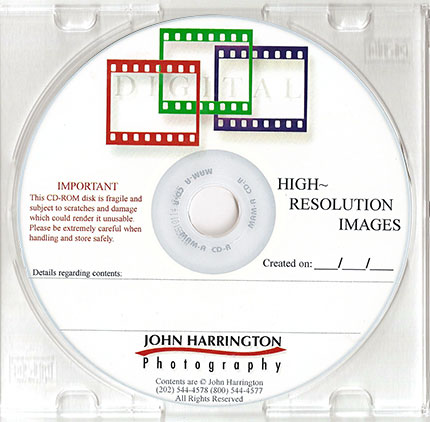 I am looking forward to replicating that layout and design with my new Dymo. It expect it to look very very close to a silk-screened disk, and I am excited about that.
Quite often, after we deliver a CD, and encourage the client to make copies, they instead come back to us to burn a second disc, which we do for 50% of the original. So, if our CD output charge was $75, the second CD is $37.50. For the CD’s that are $175 to output (which is about 80% of what we do), our second CD charge is $87.50, plus shipping/couriers. The clients like that it looks professional, and consistent with the other CD they received.
Please post your comments by clicking the link below. If you’ve got questions, please pose them in our Photo Business Forum Flickr Group Discussion Threads.
Originally published on Photo Business News & Forum on December 6, 2007. Comments are closed; this post is part of the archive.
http://www.pdnonline.com/pdn/prodtech/reviews/article_display.jsp?vnu_content_id=1003676218
I’m interested to hear your real world results for image quality and durability.
thanks,
It may be that PDN’s results were based upon how a photo looks, rather than graphics.
John
All you need are Lightscribe CD’s– no ink or supplies. Works great with a laptop.
The only downside is that it takes a LONG time to create a label on CD (20-25 minutes) so it’s not very good for bulk orders. Oh yeah, and I’m not sure if it works on a Mac, but that doesn’t bother me a bit!
https://global.dymo.com/enUS/RNW/RNW.html?pg=std_adp.php&p_faqid=724
That said, I think I may take a hint from John’s example and lightscribe a batch of discs with my logo and copyright notice and just some blank spots to hand write the shoot specific info. That would make the best use of time. That way I can do batches of lightscribes when I’m not needing the burner to put data on discs for clients, and it still looks more like a finished product than a generic blank disc.
I liked the idea of the silkscreened discs BUT hate handing a client a disc with handwriting on it. I’ve been using an Affex CD Artist to print directly on CD’s (from PS or AI) for about 7 years now – its fast and its 4 color. Does a great job-pricey but the cost is quickly recouped.
Ed Berger
Remind me of the link, and, actually, stay tuned for a big announcement on that front about a new project I am working on !
Shhhhhhh…….
John
While more expensive there are sometimes a need for this extra assurance of life span.
Niels Herniksen
So these printers are definitely another viable option.
I print a sample photo on the disk also.